Case study · End-to-end product design · Lead generation · USAID · 2022–2024
A clear path for companies partnering with USAID
USAID wanted more private companies to partner with it on international development, but its websites were written for groups applying for funding. I led the design of the Corporate Partnering Portal, a front door built to turn the right business visitors into qualified partner leads. In launch week, qualified inquiries went from about one every two weeks to six to eight.
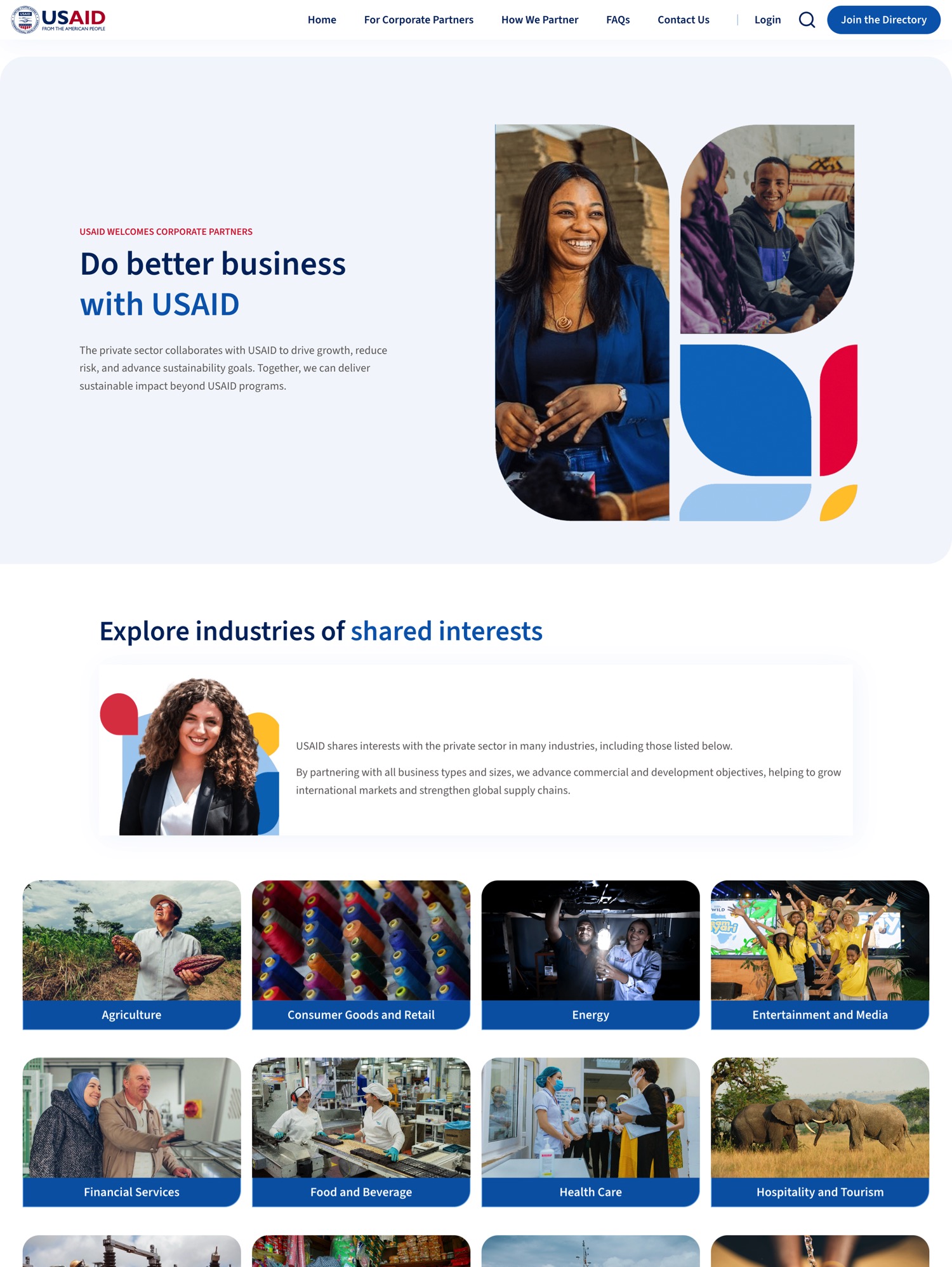
The Corporate Partnering Portal, live in January 2024. Industries come first because the first thing business visitors asked was whether USAID worked with companies like theirs.
The problem
USAID wanted more companies to work with it. Its websites were written for organizations applying for funding, so a business visitor couldn't tell whether any of it was meant for them. About one good inquiry arrived every two weeks.
My role
Lead product designer and project lead at Bixal, responsible for delivery from research through launch. I did all of the UX research, UX design, and UI design, and led the rest of our team of six.
What happened
The portal launched in January 2024. In its first week, the Private Sector Engagement team identified six to eight inquiries that fit its criteria for a viable partner. During testing, participants cut the contact task from about two minutes to under 30 seconds.
TeamLead developer, junior developer, lead copywriter, rollout and marketing lead, data analyst on call, and a partner design studio MethodsProto-personas, top-task analysis, journey mapping, A/B and usability testing Built onUSWDS with custom components, Strapi, Next.js
Research
Rodrigo's first visit
Rodrigo leads innovation for a Latin American telecom that wants to expand internet access in rural Peru. On USAID's old sites he finds a closed opportunity, a page written for grant applicants, and more links than he has time to read, but nobody he can ask whether his company belongs there. He closes the tab.
I didn't have access to real executives at the start, so I built Rodrigo from the public LinkedIn profiles of the kind of people USAID wanted to reach. His journey gave the team a sharper question: could a business visitor tell that USAID wanted to hear from them, and trust that somebody would answer?
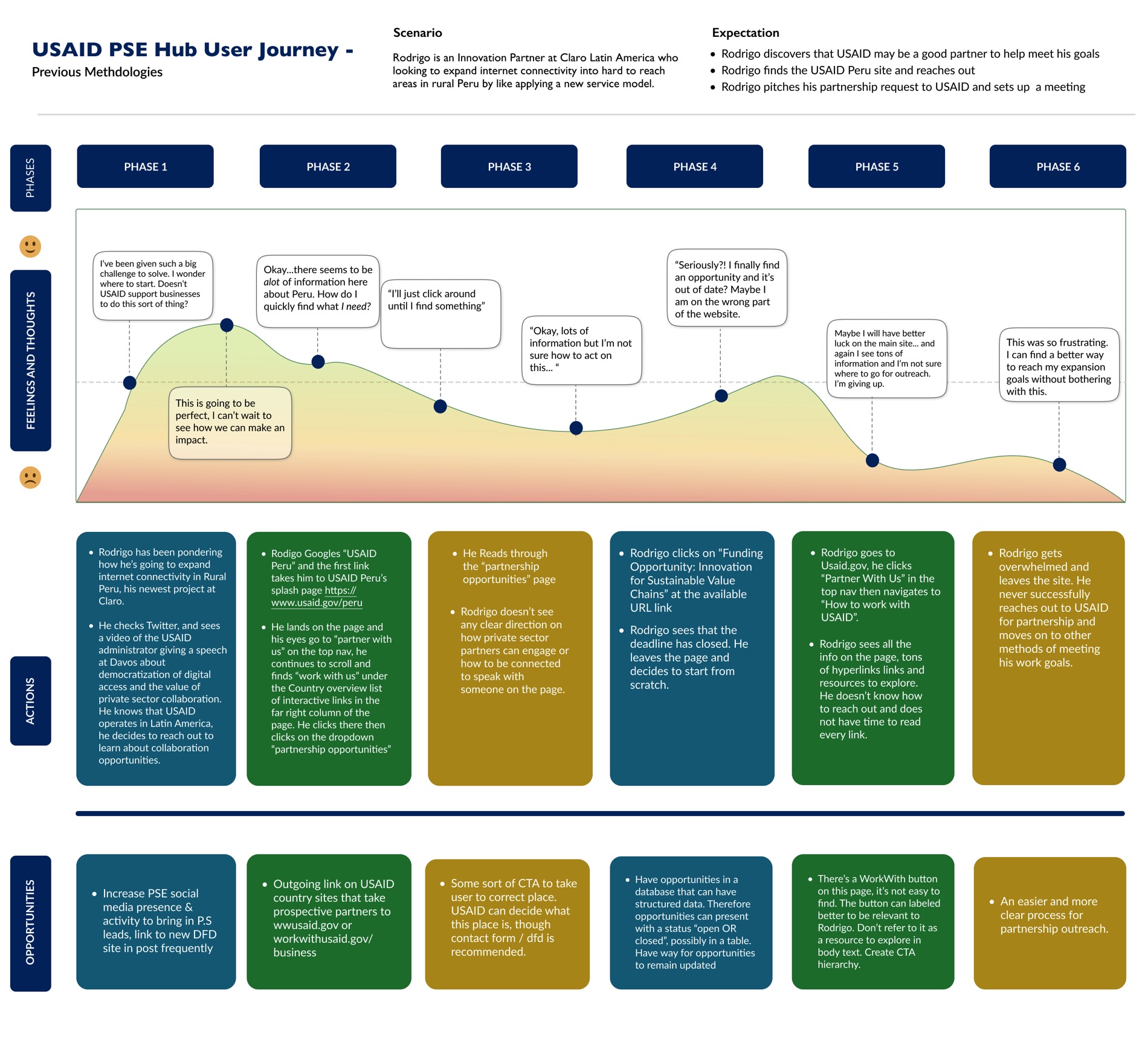
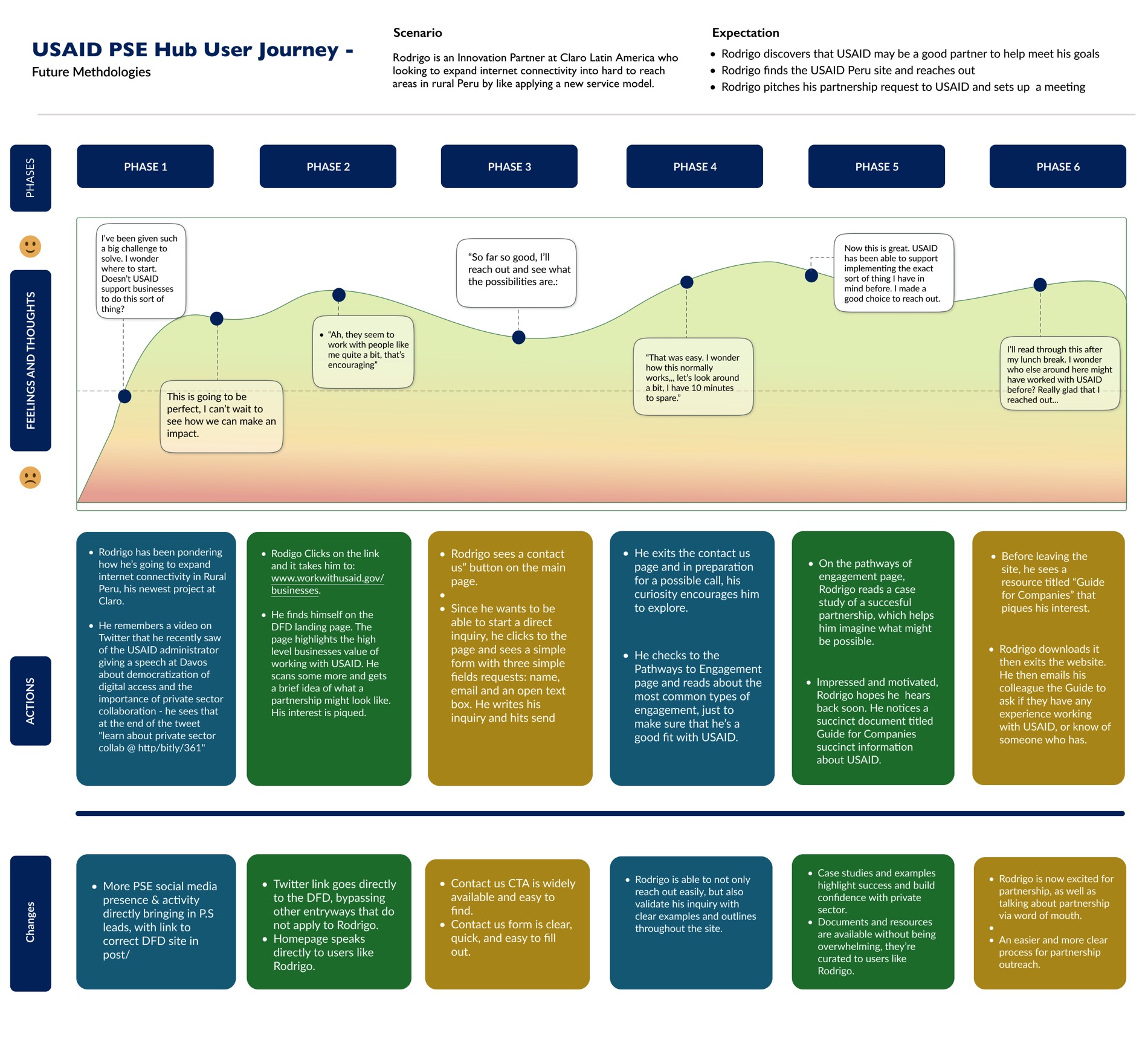
Rodrigo's trip, before and after. Follow the curve in the top band. His mood falls on the old sites until he quits (left) and holds on the new portal (right), where he ends by sending the guide to a colleague. Click either map to read it.
Prioritization
Eighty-nine things the site could do
When I joined there were more than a dozen personas left over from earlier efforts. Too many to be useful, because when everyone is your target user, nobody is your target user. I ran a workshop with the USAID team, and we cut them to two: someone like Rodrigo at a regional company, and a sustainability lead at a multinational.
Then I had everyone list every task they thought the site should support, 89 in all. We grouped them, scored each group for impact and effort with the client in the room, and sorted them into must, should, and could.
Seven groups came out on top and shaped the first release. Everything else went onto a 2.0 roadmap, so every idea still had somewhere to go.
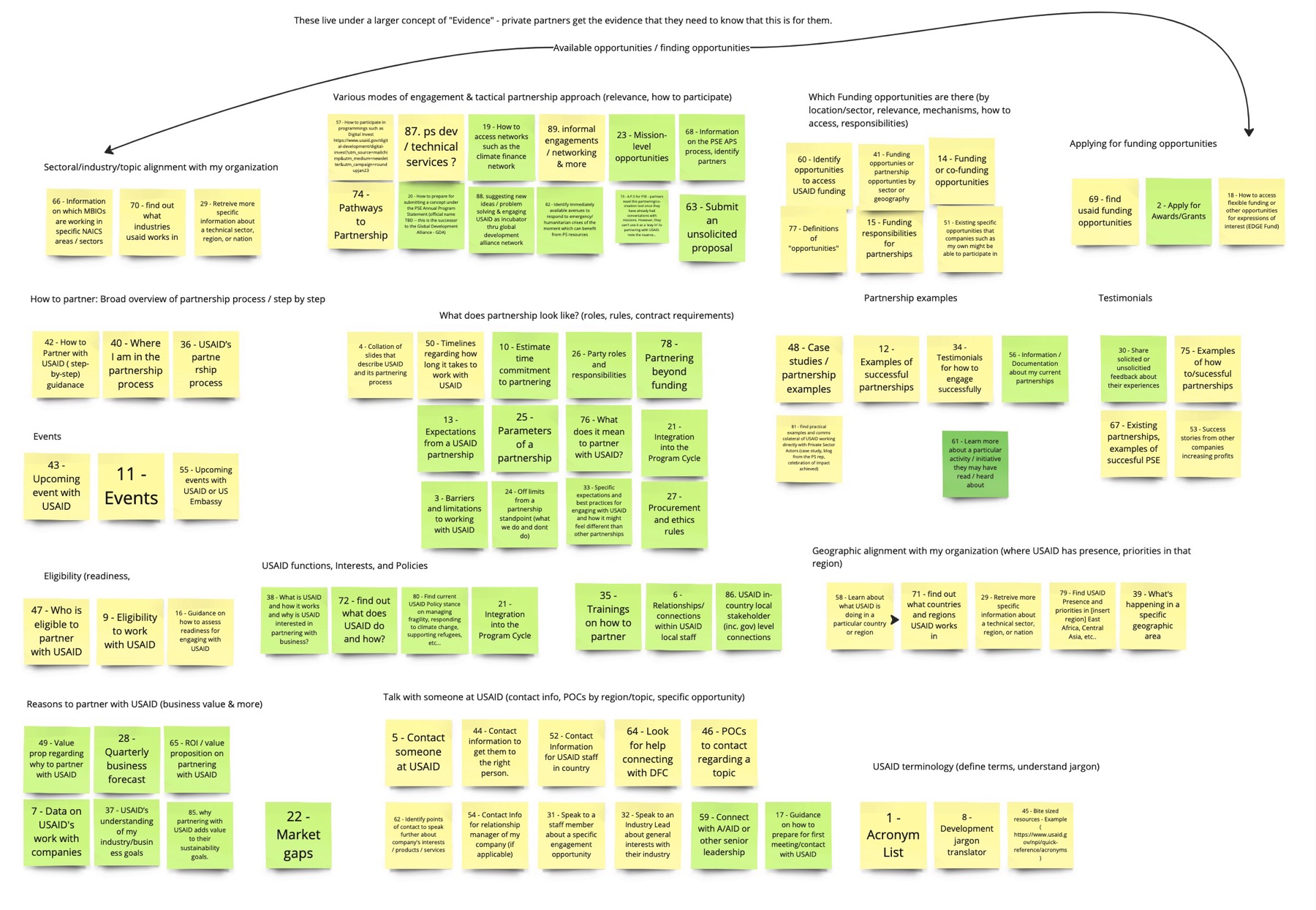
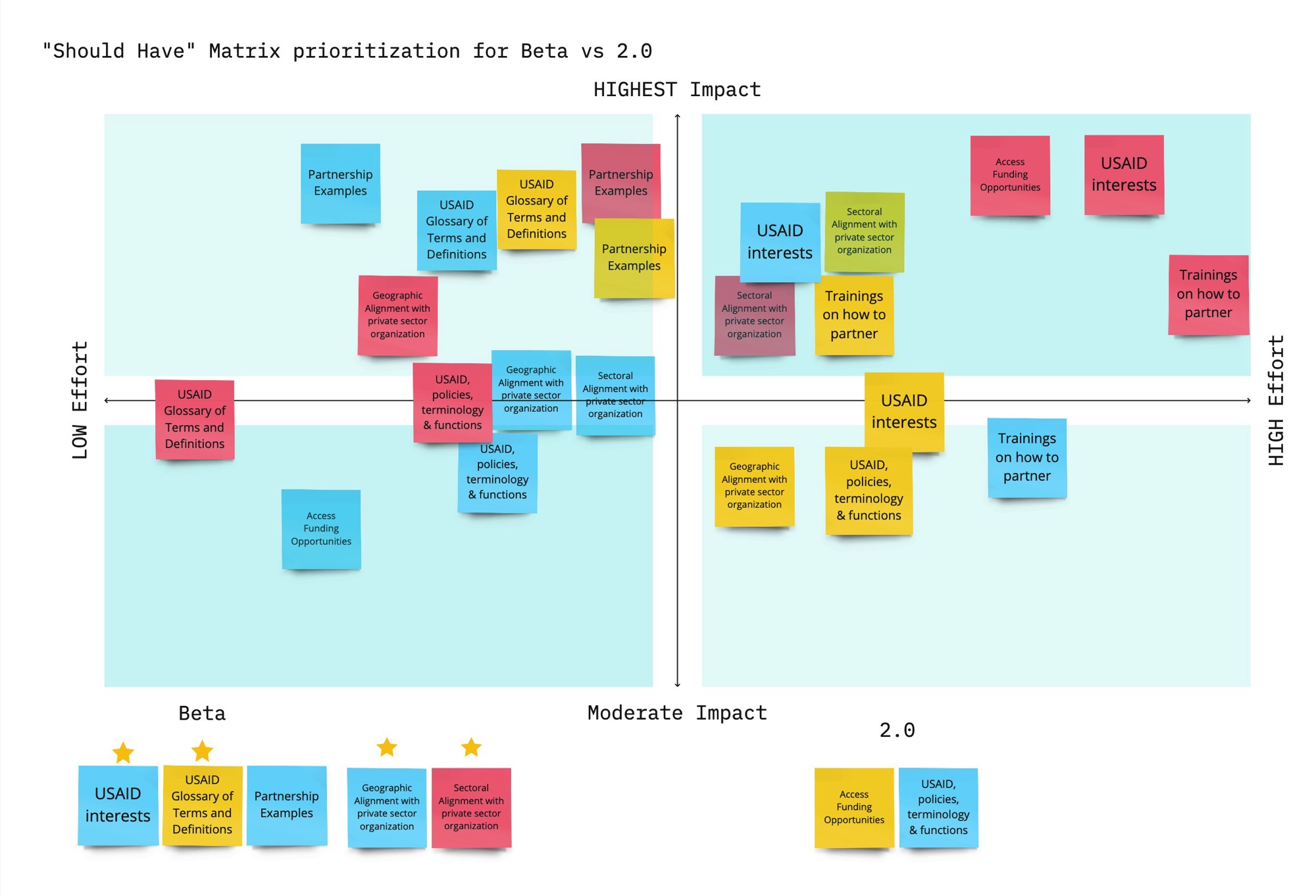
From 89 tasks to a first release. Left, every task grouped by what the visitor is trying to learn. Right, the "should have" groups placed by impact and effort and split between the beta and 2.0.
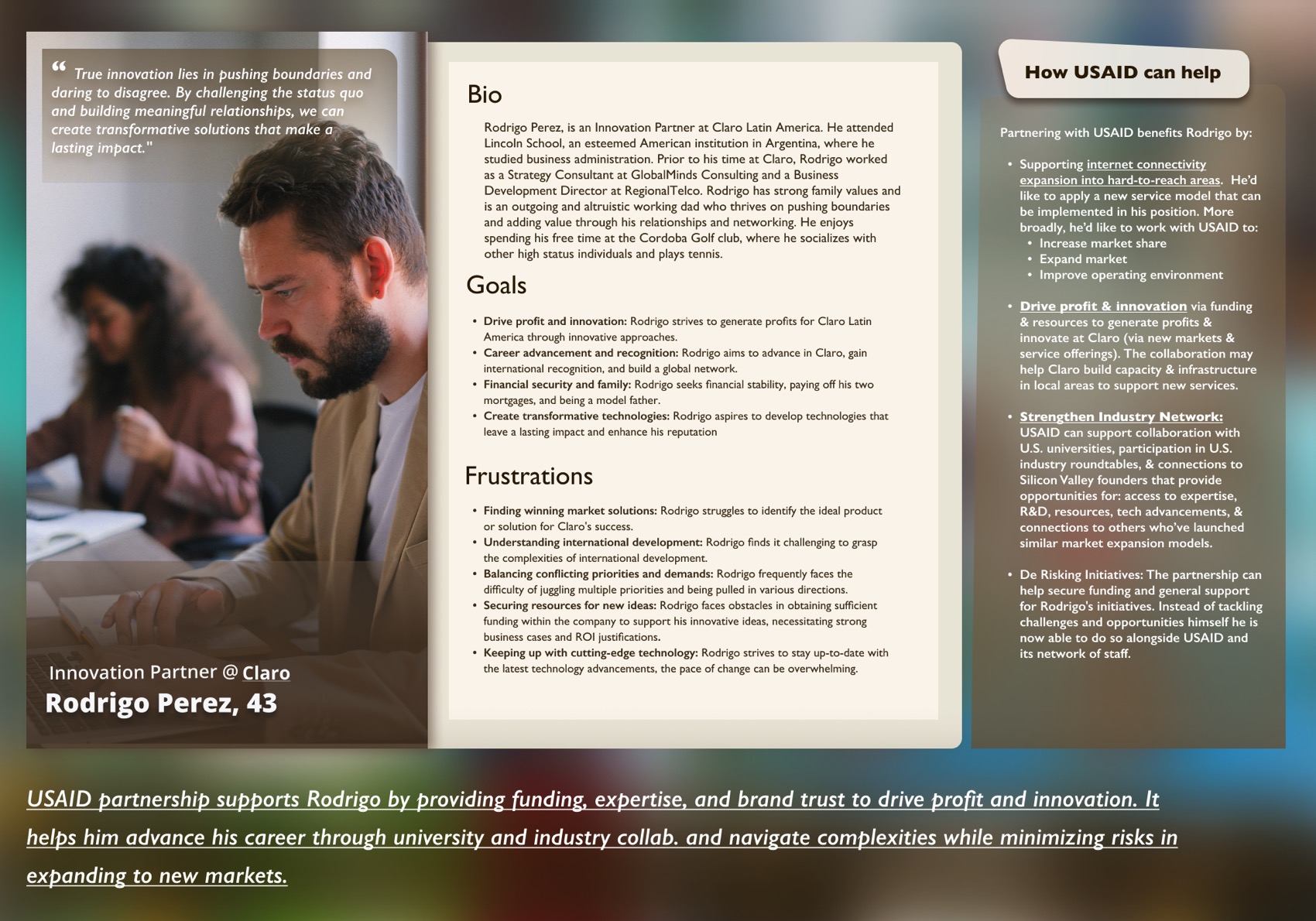
Rodrigo, the proto-persona. The panel on the right answers the question a business visitor brings: what's in it for him?
Testing
What business people asked first
Once I had wireframes, I put them in front of people from the private sector. The first thing nearly everyone wanted to know was more basic than anything we'd planned for: what is partnership, exactly?
Many of them assumed USAID was a funder, a place you apply to for money. The pages kept using the word "funding," which told a commercial company it was in the wrong place. A phrase tucked into the FAQ, "beyond funding," caught a couple of people's eye more than our headlines did.
So our lead copywriter and I rebuilt the content around the questions people asked, in the order they asked them. What is this? Why would my company care? Who is it for? Where does USAID work? How do I start? I A/B tested a short pitch against a longer one built around a checklist. The short one says "Do better business with USAID," and that's the one that shipped.
The first site map didn't hold up either. It didn't match the way people went looking for things, so I reworked the structure and tested several versions until we landed on one that performed well.
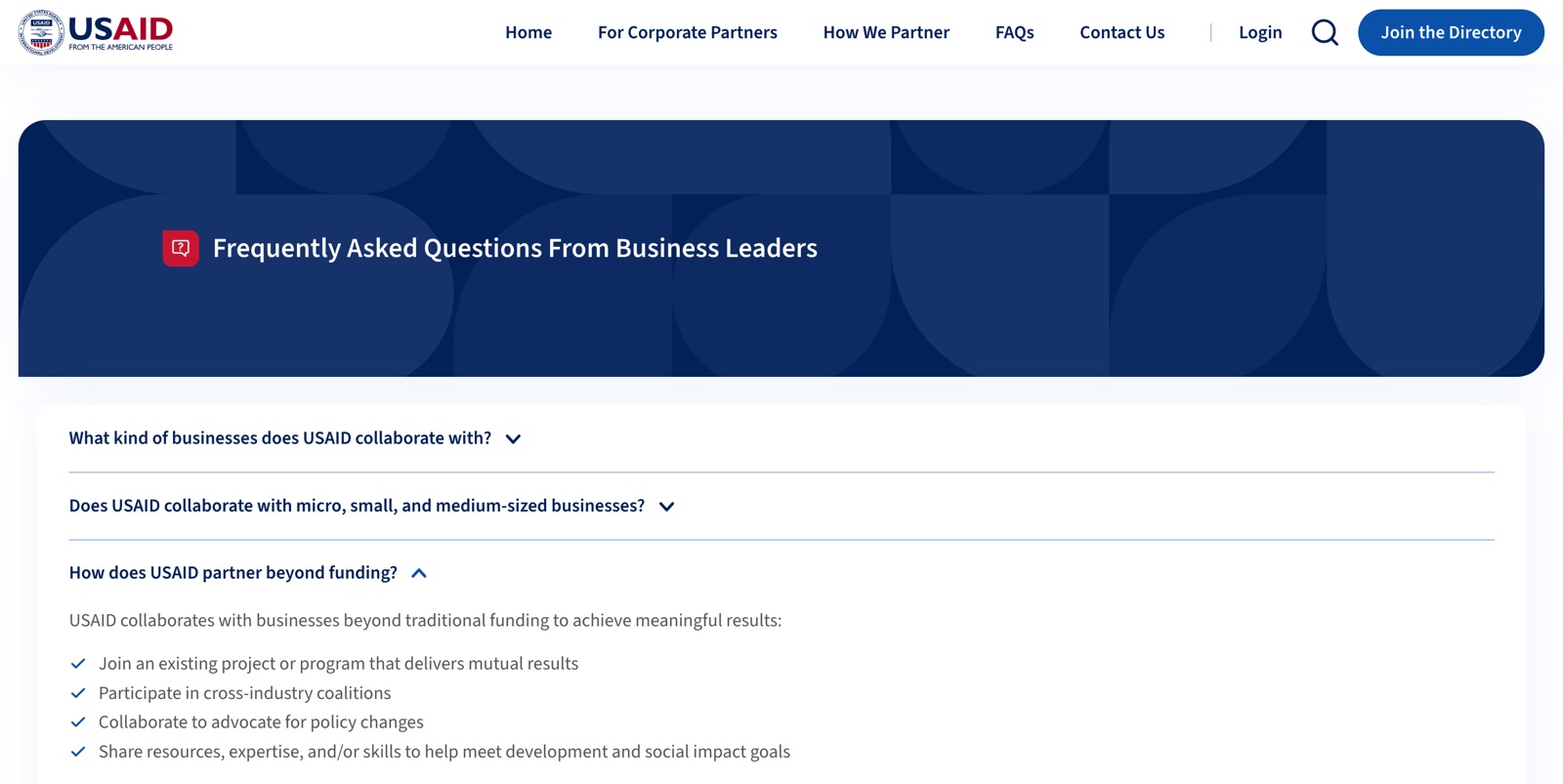
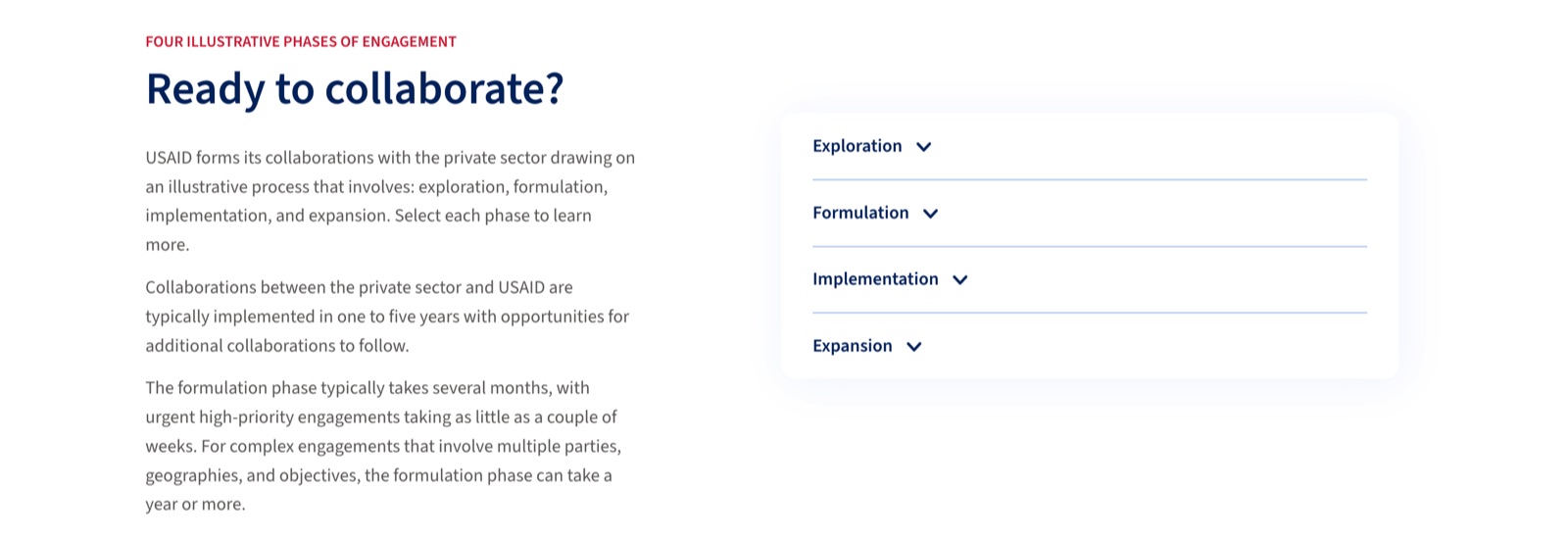
Two of the questions, answered on the live site. Top, the FAQ explains how USAID partners beyond funding. Bottom, How We Partner answers "How do I start?" with four phases and typical timelines.
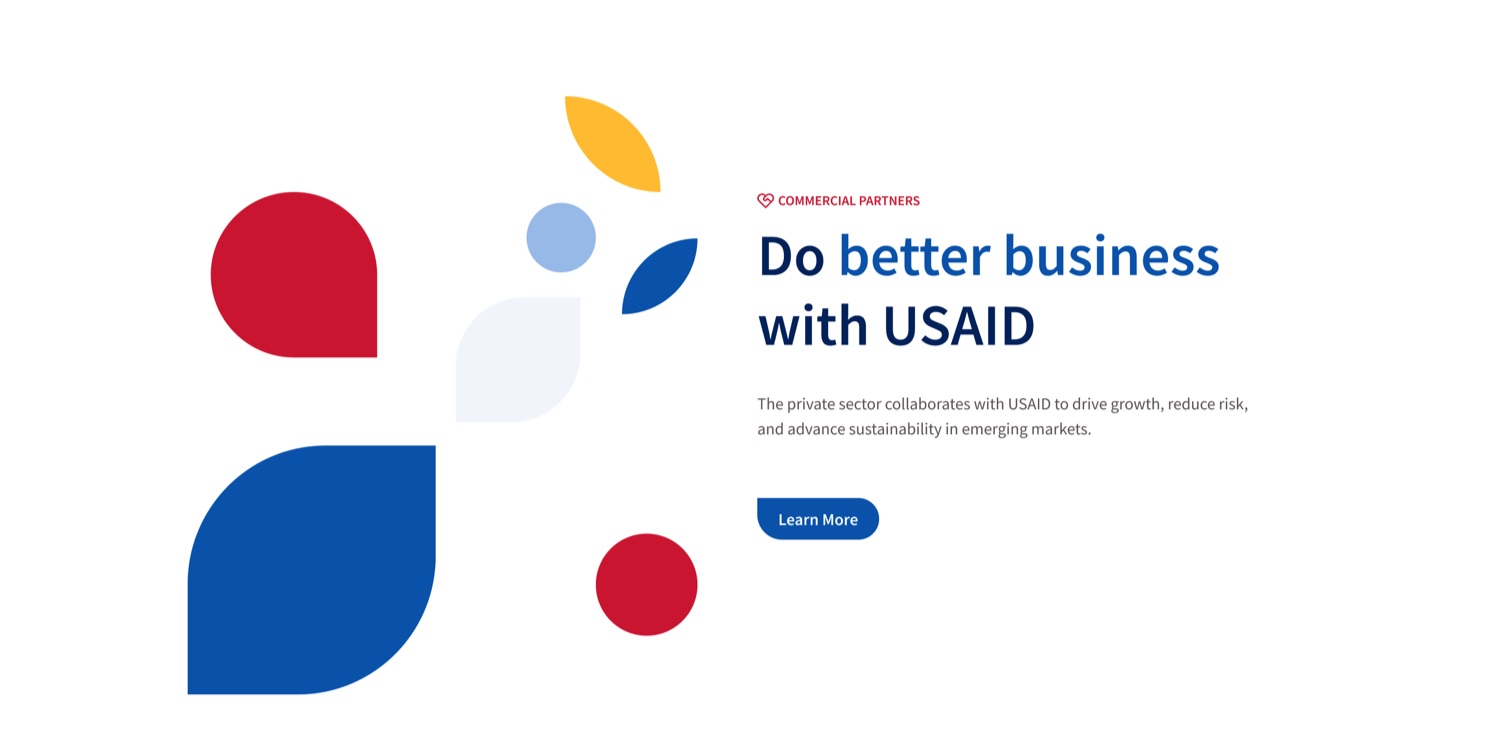
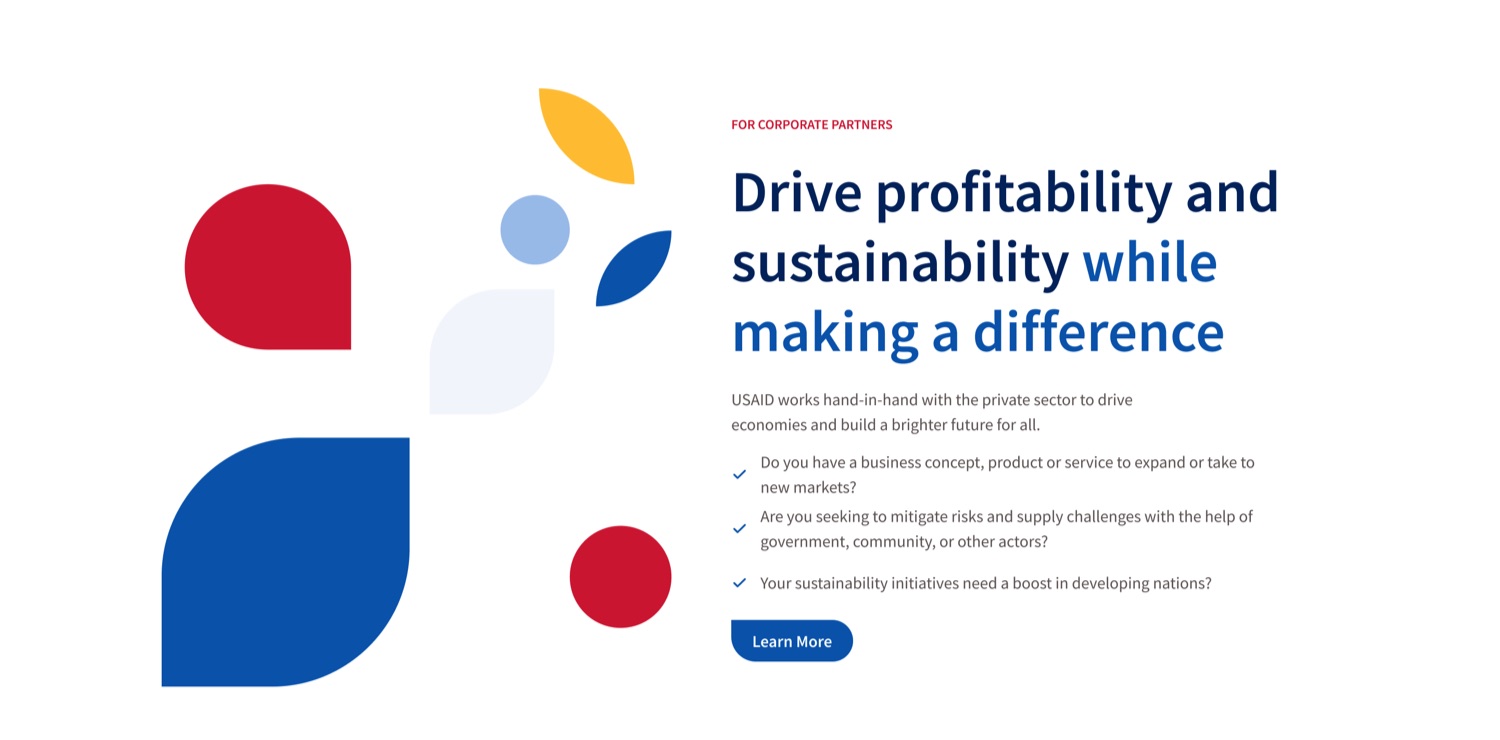
Two versions of the pitch from A/B testing. The short one on the left is what went live.
Visual design
Ink splashes inside a federal wrapper
The portal had to look like USAID and still feel fresh to a business audience. I started from USWDS, the U.S. Web Design System, and kept USAID's red, white, and blue wrapper and clean sans serif type.
With a partner design studio in Portugal, I added a looser visual language on top: blotchy vector shapes like ink splashes, teals and dark greens, and USAID's photos of people working around the world. Most of the custom components I designed were built around imagery, with a grid that breaks now and then on purpose. You can see it on the home page at the top of this case study.
Design
The hardest page was Contact Us
Contact Us was where people hesitated most. Before writing to a federal agency they wanted to know who would read the message, whether anyone would answer, and how long it would take. People who aren't sure about those things don't write.
The page I designed has three plain prompts for what to put in your message, a directory of contacts by industry, and a general inbox for anyone unsure where they fit. I also asked USAID to make sure every inquiry gets an answer, even a short one. That part was up to USAID's own staff, and no page could do it for them.
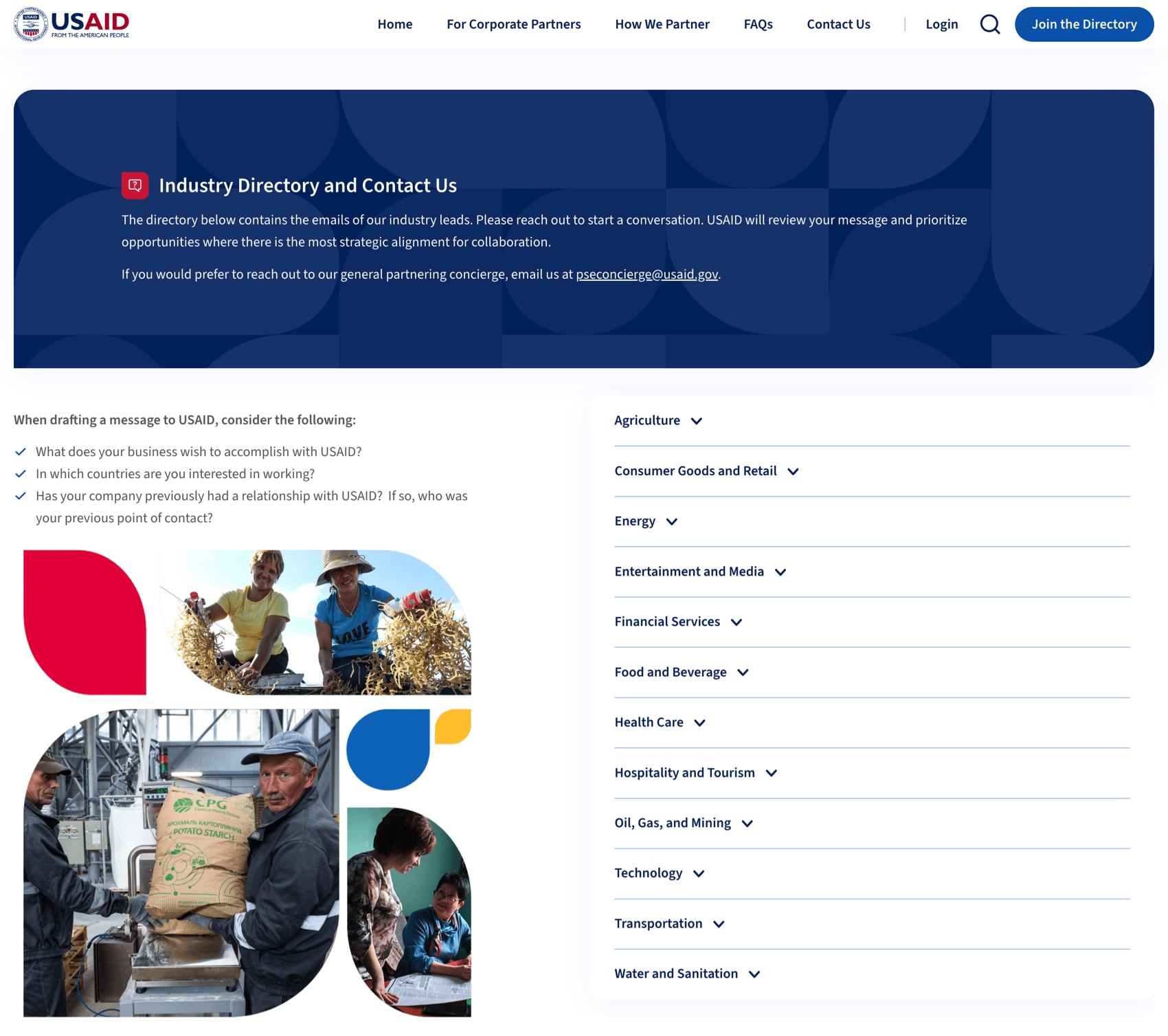
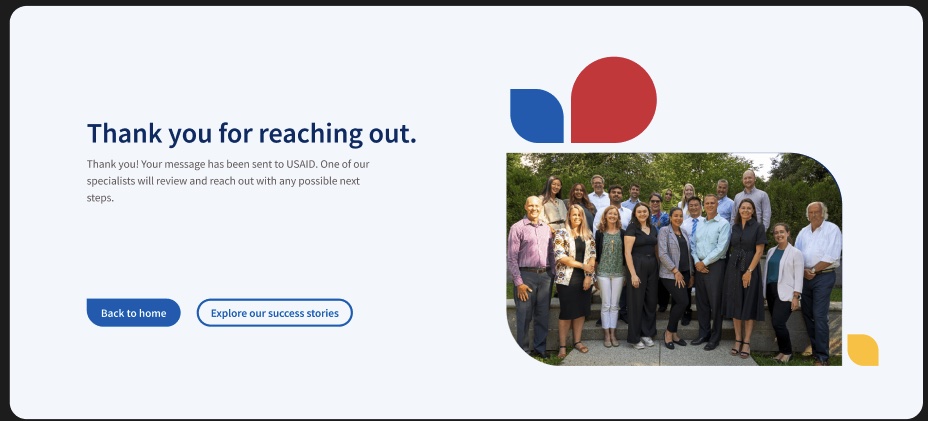
The contact page, and what you see after sending. Test participants liked the three prompts, which tell you what to say before you say it. The confirmation says who will read the message and what happens next.
Trade-off
The front door I gave up
Our pages lived inside a larger site, Work With USAID, built for organizations seeking funding. I worked with the design studio behind it so our microsite fit their information architecture and still made sense to a business visitor.
That site's header had a "List your organization" button on every page. In testing, business visitors went straight for it, thinking it was how you start a partnership. It wasn't meant for them.
I wanted a front door split in two, with one entrance for funding seekers and one for companies, and mocked it up. It didn't fit the larger site's architecture or its goals, so it didn't make launch. We added clearer labels and more ways in instead, and I put the case for the split into the recommendations we left behind.
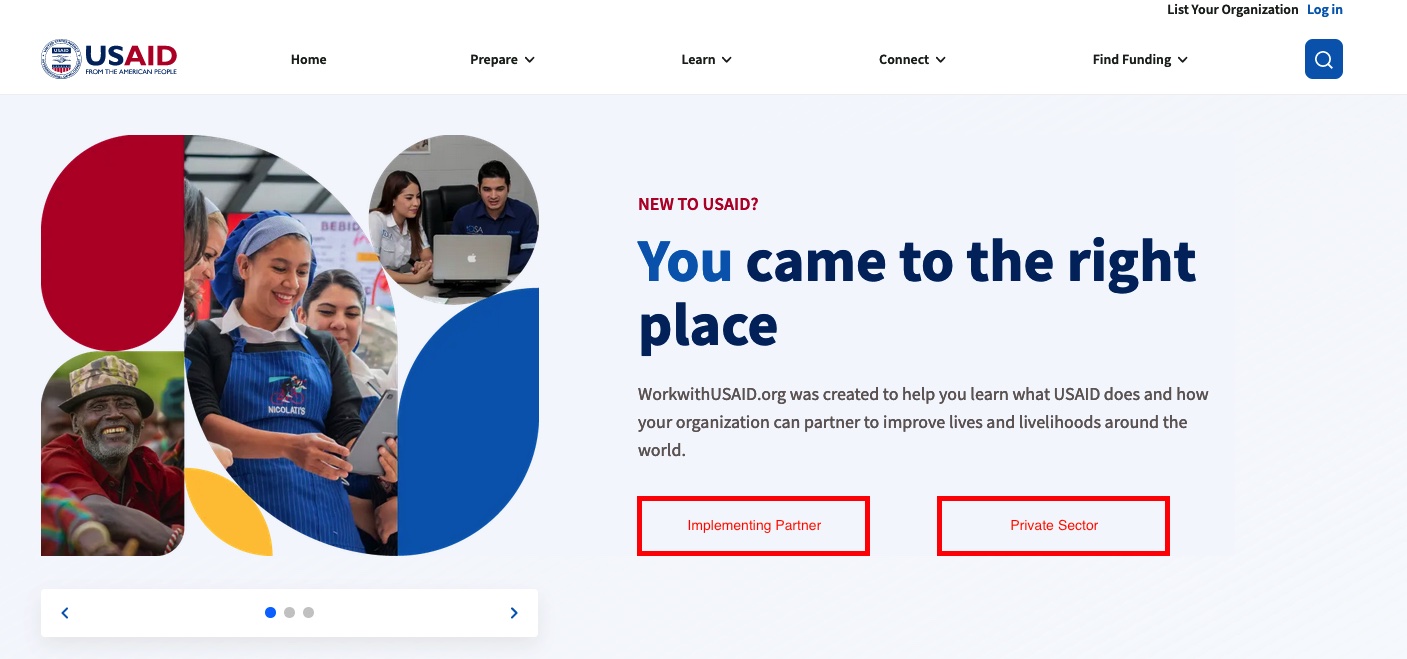
The split entrance I proposed for the parent site. Two doors, so a company never has to wonder which half of the site is theirs.
Leadership
The Friday note
I ran the project from the first workshop through launch, including the timeline, the roadmap, and the team's rituals. I met with our three main USAID stakeholders several times a week and checked every design with our lead developer against what our stack could support.
A few months in, the client told me they could not tell where the project stood, and they were right. I started sending a short note every Friday with three things: what we had finished, what needed their review, and what was coming over the next two weeks.
"This is exactly what I had in mind and this makes it really clear where we stand on all parts of the moving pieces."Reply from our USAID client
Outcome
What happened
The portal went live in January 2024. Before launch, the Private Sector Engagement team was receiving roughly one qualified inquiry every two weeks. In launch week, the same team identified six to eight inquiries that fit the size, segment, market, and partnership criteria it used to judge a viable lead. In usability testing, participants cut the contact task from about two minutes to under thirty seconds.
We left USAID with a recommendations report for a 2.0 and a monthly analytics dashboard. I don't have numbers past the first week.
Reflection
What I'd do differently
I'd push for a handful of real interviews before design started. Rodrigo got us moving, but it took the first round of testing to learn that business people read "funding" as "not for me," and by then the word was all over the pages.
The harder part of this project sat behind the interface. The contact page only works if someone at USAID writes back. If I began the project again, I would define that service promise, and who was accountable for keeping it, alongside the first page designs.
Also for USAID, I redesigned the topic pages on Agrilinks, its agriculture and food-security site. I'm happy to walk through that one on a call.